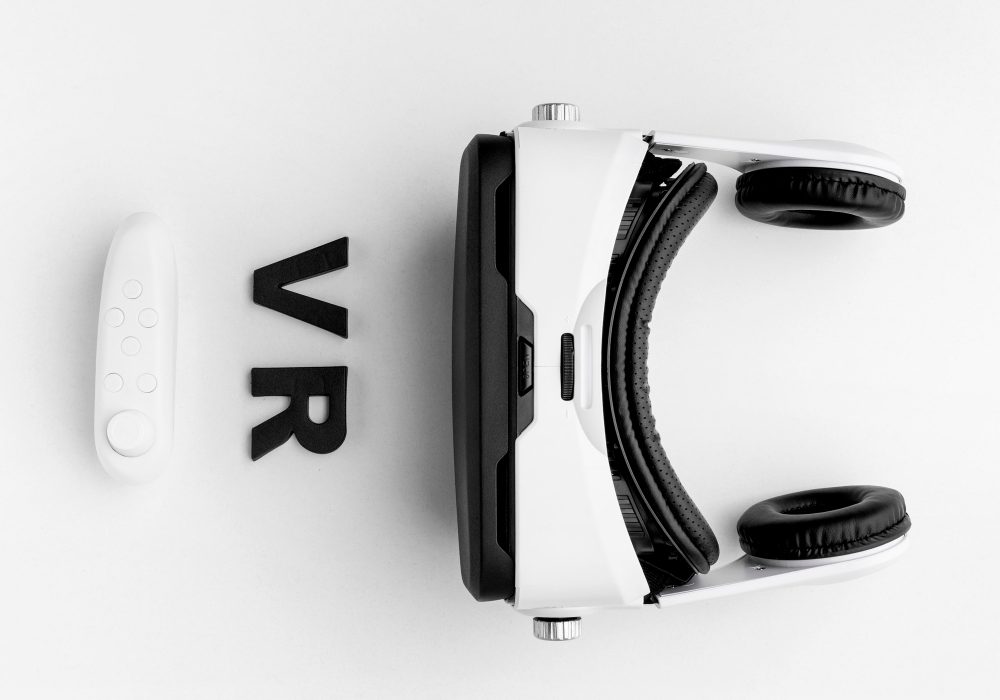
1. Introduction: Affordable VR Headsets
Virtual reality has come a long way from being a futuristic luxury to becoming an everyday tool for gaming, learning, and socializing. In 2025, VR headsets have not only become more powerful and compact — they’re also significantly more affordable. Whether you’re a casual gamer, a fitness enthusiast, or someone looking to explore virtual environments for the first time, there’s a budget-friendly VR headset waiting for you.
In this guide, we’ll explore the best affordable VR headsets for 2025, compare their features, and help you find the perfect device that won’t drain your wallet. From all-in-one standalone units to plug-and-play options for your PC or console, we’ve handpicked the top choices to fit every lifestyle and budget.
2. Why Choose an Affordable VR Headset in 2025?
You no longer need to spend $800+ for a quality virtual reality experience. Thanks to advancing technology and increasing market competition, many budget VR headsets in 2025 now offer features that rival premium models from just a few years ago.
Here’s why going affordable in 2025 makes sense:
✅ Great Value for Money
Modern budget VR headsets offer:
High-resolution displays (2K+)
Smooth tracking and motion sensors
Lightweight, ergonomic designs
Compatibility with popular VR platforms and games
You get a solid VR experience without paying for features you may not need as a beginner or casual user.
✅ Ideal for Beginners and Occasional Users
If you’re just starting out in VR, you likely don’t need pro-grade specs. Budget VR headsets are perfect for:
First-time users
Kids and teens
Fitness and entertainment
Educational use in classrooms
They offer a low-risk way to enter the VR world.
✅ Standalone Options Eliminate Extra Costs
Some affordable VR headsets are fully standalone — meaning no expensive gaming PC or console is required. This removes a major cost barrier for many users and makes VR more accessible than ever.
✅ Big Brands Are Getting Competitive
Companies like Meta, Pico, and HTC are releasing lite or entry-level models to target the growing mainstream audience. These devices are well-supported with frequent updates, a wide range of apps, and strong community backing.
3. Top 7 Affordable VR Headsets for 2025 (Comparison Table)
Here’s a quick look at the best low-cost VR headsets available or expected in 2025. We’ve compared price, compatibility, display quality, and more to help you decide which one suits your needs best.
| VR Headset | Price (Est.) | Platform | Display | Tracking | Best For |
|---|---|---|---|---|---|
| Meta Quest 3 Lite | $299 | Standalone / PC VR | 2K per eye | Inside-Out | Gaming, fitness, social VR |
| Pico 4 SE | $249 | Standalone / PC VR | 2160×2160 per eye | Inside-Out | Lightweight, entertainment |
| HP Reverb G3 | $349 | PC VR (Windows Mixed) | 2160×2160 per eye | 6 DOF | Sim racing, flight sims |
| BOBOVR Z6 Neo | $89 | Mobile VR (Android) | 1080p | Basic Gyro | Kids, VR media |
| HTC Vive Flow 2 | $399 | Android / PC tethered | 1600×1600 | 3 DOF | Meditation, streaming |
| DPVR E4 Budget | $299 | PC VR (SteamVR) | 2560×1440 | 6 DOF | Entry gaming, simulation |
| Samsung XR Lite | $349 | Mixed Reality | 2K OLED | Inside-Out | Mixed content, lightweight use |
⚠️ Prices and models are estimated based on 2025 early releases and leaks. Always verify specs with manufacturers before buying.
4. In-Depth Reviews of Each VR Headset
1. Meta Quest 3 Lite – Best All-Around Budget VR
Estimated Price: $299
Platform: Standalone & PC VR
Display: 2K per eye (LCD)
Tracking: 6 DOF, Inside-Out
Meta’s budget version of the Quest 3 delivers excellent value for the price. It retains the powerful Qualcomm XR2 Gen 2 chip, impressive display clarity, and wide app compatibility while cutting down slightly on storage and build materials to reduce cost.
Pros:
No PC or wires required
Access to Meta’s vast app ecosystem
Smooth hand tracking and passthrough features
Cons:
Slightly less premium feel than Quest 3
Limited to Meta and PCVR stores
Best for: Gamers, fitness users, social VR fans
2. Pico 4 SE – Lightweight, Comfortable, and Surprisingly Powerful
Estimated Price: $249
Platform: Standalone & PC VR
Display: 2160 x 2160 per eye
Tracking: Inside-Out (6 DOF)
Pico’s SE edition is perfect for those who prioritize comfort and value. It’s one of the lightest headsets in its class, with balanced front-rear weight distribution. While it may lack some software variety compared to Meta, it’s catching up fast.
Pros:
Ultra-comfortable for long sessions
Crisp display with minimal screen-door effect
Great for fitness and casual gaming
Cons:
Smaller content library than Meta
May need sideloading for some games
Best for: Entertainment, casual gaming, new users
3. HP Reverb G3 – Best for Sim Racers and PC Gamers
Estimated Price: $349
Platform: PC VR (Windows Mixed Reality / SteamVR)
Display: 2160 x 2160 per eye
Tracking: 6 DOF (external camera-based)
Although slightly older, the HP Reverb G3 remains a top pick for budget-conscious PC gamers. It offers ultra-high display resolution — perfect for simulation games where detail matters. The fit is decent, and setup is straightforward for anyone familiar with Windows.
Pros:
Exceptional visual clarity
Great for cockpit-based games (e.g., flight sims)
Compatible with SteamVR titles
Cons:
Requires a capable gaming PC
Not as portable or flexible as standalone options
Best for: Simulators, PC VR gaming, serious enthusiasts
4. BOBOVR Z6 Neo – Best for Budget Mobile VR
Estimated Price: $89
Platform: Android Smartphone
Display: Phone-dependent (usually 1080p–1440p)
Tracking: 3 DOF (gyroscope-based)
The BOBOVR Z6 Neo is a budget-friendly entry point into VR using your smartphone. It’s not true 6DOF virtual reality, but it’s ideal for watching 360° videos, exploring basic VR apps, and playing light mobile games.
Pros:
Extremely low price
Good for educational use and media
Foldable, wireless, and lightweight
Cons:
Limited to mobile VR experiences
No positional tracking
Best for: Kids, students, basic VR demos
5. HTC Vive Flow 2 – For Meditation, Streaming, and Light Use
Estimated Price: $399
Platform: Android and PC Tethered
Display: 1600 x 1600 per eye
Tracking: 3 DOF (limited movement)
This compact headset focuses on passive VR use, such as guided meditation, YouTube VR, and virtual meetings. It connects to Android phones or PCs and features a sleek design that resembles glasses more than a traditional headset.
Pros:
Super portable and stylish
Excellent for relaxation and media
Easy to use with phone or PC
Cons:
Limited interactivity (no 6 DOF)
Not ideal for fast-paced gaming
Best for: Meditation, travel, productivity
6. DPVR E4 Budget – A Powerful SteamVR Option
Estimated Price: $299
Platform: PC VR (SteamVR)
Display: 2560 x 1440
Tracking: 6 DOF (optical)
The DPVR E4 Budget edition gives gamers access to SteamVR with strong display specs and smooth tracking. It’s a solid alternative to expensive PC VR setups and supports a wide variety of Steam titles.
Pros:
SteamVR support at a great price
Reliable motion tracking
Clean design and fast refresh rate
Cons:
Wired setup
No standalone use
Best for: Budget PC gamers, VR arcades, developers
7. Samsung XR Lite – Mixed Reality on a Budget
Estimated Price: $349
Platform: Mixed Reality / Android-based
Display: OLED 2K
Tracking: Inside-Out
Samsung’s XR Lite (expected to launch Q2 2025) aims to merge VR and AR at an affordable price. Early leaks suggest it supports passthrough, spatial mapping, and AR overlays — a rare combo in this price range.
Pros:
OLED display for vibrant colors
Mixed Reality at a budget price
Great for productivity and immersive browsing
Cons:
Not fully released yet
App library still under development
Best for: Early adopters, tech reviewers, productivity users
5. How to Choose the Right Budget VR Headset for You
Buying a VR headset isn’t just about picking the cheapest option — it’s about finding the right fit for your needs, goals, and budget. Whether you’re looking to dive into immersive gaming, explore the metaverse, or just enjoy virtual Netflix on a virtual couch, here’s how to narrow down your decision:
✅ 1. Determine Your Use Case
Start by asking yourself: What will I use this for most?
| Primary Use | Best Option |
|---|---|
| Gaming (Standalone) | Meta Quest 3 Lite |
| Gaming (PC) | HP Reverb G3 / DPVR E4 |
| Entertainment & Media | Vive Flow 2 / BOBOVR Z6 Neo |
| Mixed Reality/AR | Samsung XR Lite (upcoming) |
| Fitness | Pico 4 SE / Quest 3 Lite |
| Educational Use | BOBOVR Z6 Neo |
✅ 2. Check Compatibility With Your Devices
No gaming PC? Stick to standalone options like the Meta Quest 3 Lite or Pico 4 SE.
Have a high-end PC? You can enjoy higher fidelity with a headset like the Reverb G3 or DPVR E4.
Only have a smartphone? Budget viewers like the BOBOVR Z6 Neo work well, but with limited VR interaction.
✅ 3. Understand Display and Tracking Differences
Display Quality: Look for resolutions of 2160 x 2160 per eye or higher for the best experience. OLED screens (like in Samsung XR Lite) offer deeper blacks and vibrant visuals.
Tracking:
6 DOF (degrees of freedom) = true VR movement in space (ideal for gaming and interactivity).
3 DOF = limited to head movement only (good for watching media, less immersive).
✅ 4. Consider Comfort and Weight
VR fatigue is real — especially with heavier headsets. Look for:
Balanced weight distribution (front and back)
Adjustable straps
Light design (especially if you plan on watching long videos or exercising)
Best lightweight options: Pico 4 SE, Vive Flow 2
✅ 5. Content Library and Ecosystem
Buying into a platform with a strong app store ensures you won’t run out of things to do.
Meta Quest Store: Largest library of VR games and social apps
SteamVR: Best for PC VR users with a powerful rig
Pico Store: Smaller, but growing fast
Android VR apps: Basic, mostly for video and simple games
✅ 6. Future-Proofing vs. Affordability
If you’re planning to use your headset for a few years, choose one with:
Regular software updates
Active developer support
Modular accessories (battery packs, head straps, etc.)
Meta and Pico tend to offer the best long-term value for the price.
Quick Tip: Don’t be swayed by brand alone — focus on specs and real user reviews. Many new entrants offer great value without the big-name price tag.
6. Tips for Getting the Best Deal on VR Headsets
Finding an affordable VR headset in 2025 doesn’t mean you have to settle for less. With strategic shopping and smart timing, you can score premium features at a budget price. Here are some expert-backed tips to help you maximize value:
🛍 1. Buy During Major Sales Events
Retailers and manufacturers often slash prices during key sales periods. Mark your calendar for:
Black Friday & Cyber Monday (November)
Amazon Prime Day (Usually July)
Back-to-School Sales (August–September)
Holiday Season Deals (December)
💡 Pro Tip: Use price tracking tools like Honey, CamelCamelCamel, or Keepa to monitor price drops on Amazon and other e-commerce sites.
💳 2. Look for Refurbished or Open-Box Units
Buying certified refurbished headsets from official sources (like Meta or HP) can save you 20–40% while still offering warranty and return policies.
Also, check out:
Best Buy Open Box Deals
Amazon Renewed
Meta’s official refurbished store
eBay (with seller ratings)
🔍 3. Compare Specs, Not Just Price
A cheaper headset might cost more in the long run if it lacks features you need. Always compare:
Display resolution
Refresh rate
Field of view
Battery life
Tracking type (3 DOF vs. 6 DOF)
🧠 Smart shoppers compare based on total value — not just upfront cost.
🌐 4. Use Student, Military, or Loyalty Discounts
Some brands offer extra discounts for:
Students (via UNiDAYS, Student Beans)
Military and healthcare workers
Loyalty points or store memberships
For example, HP often gives student discounts on the Reverb lineup.
📦 5. Bundle Up
Some sellers include extras like:
Carrying cases
Extra facial interfaces
Games or content vouchers
These can add $50–$100+ in value without raising the price.
📲 6. Buy from Trusted Retailers
Stick with well-reviewed retailers who offer:
Clear return/refund policies
Warranty support
Customer service
Trusted options include:
Amazon
Best Buy
B&H Photo
Walmart
Official brand stores (Meta, Pico, etc.)
🧾 BONUS: Don’t Forget Hidden Costs
Make sure to factor in:
Shipping
Import taxes (if ordering internationally)
Extra accessories like charging docks or controller replacements
🧠 Final Advice
Before clicking “Buy Now,” ask:
Am I getting long-term value?
Will this headset meet my usage needs for the next 1–2 years?
Is the deal available elsewhere for less?
A few extra minutes of research can save you both money and frustration down the line.
7. FAQs About Budget VR Headsets
Choosing the right affordable VR headset in 2025 can feel overwhelming, especially with so many options and features to consider. Below are answers to the most frequently asked questions to help you make an informed decision.
Q1: Are budget VR headsets worth it in 2025?
Yes. Affordable VR headsets have significantly improved in recent years. Models under $300 now offer impressive display quality, solid tracking, and a library of immersive games and apps. While they may lack high-end features like full-body tracking or ultra-wide FOV, they’re excellent for beginners, casual gamers, and budget-conscious users.
Q2: What features should I prioritize in a low-cost VR headset?
When shopping on a budget, focus on the essentials:
Display resolution (at least 1920×1080 per eye)
Refresh rate (minimum 90Hz for smooth visuals)
Tracking (6 DOF is better than 3 DOF for full movement)
Comfort (adjustable straps, lightweight design)
Content compatibility (access to major app stores like SteamVR or Meta Quest Store)
Q3: Can I use a cheap VR headset without a PC or console?
Yes, many standalone headsets like the Meta Quest 2 or Quest 3 Lite don’t require a PC or console. These “all-in-one” devices have built-in processors, storage, and access to app stores, making them ideal for casual use or mobile VR gaming.
Q4: Do cheaper VR headsets support gaming?
Definitely, but the experience depends on the model. Some budget-friendly headsets come with limited processing power or lower refresh rates, which can affect gameplay smoothness. However, many support popular titles like:
Beat Saber
Superhot VR
Rec Room
VRChat
Make sure the headset is compatible with your gaming platform (PC, standalone, PS5, etc.).
Q5: Are there any hidden costs with budget VR headsets?
Yes. While the headset may be affordable, keep these possible extras in mind:
Controllers (sometimes sold separately)
Headset accessories (carrying cases, lens protectors)
Subscription services (like Meta+ or Viveport Infinity)
Game purchases
Q6: How long does a budget VR headset typically last?
With good care, a well-made VR headset can last 2 to 4 years, depending on usage and hardware quality. Standalone headsets tend to get outdated quicker than PC-tethered ones, but firmware updates can extend their lifespan.
Q7: Which VR headset is best for kids or beginners?
Some beginner-friendly options in 2025 include:
Meta Quest 2 – Great app library and comfort
Pico Neo 3 Link – Solid build and low price
HP Reverb G2 (on sale) – Excellent visual quality for tethered use
Just make sure to check age guidelines (most VR headsets are recommended for ages 13+).
Q8: Can I upgrade a budget VR headset later on?
You can enhance your experience with:
New head straps for comfort
Better face cushions or cooling fans
Link cables for PC gaming (if supported)
But internal hardware can’t be upgraded. If you want advanced features later, it may be better to invest in a mid-range or high-end headset down the road.
Conclusion: Finding the Best Affordable VR Headset for You
2025 is shaping up to be an exciting year for virtual reality enthusiasts, especially with the growing number of affordable VR headsets offering cutting-edge features without the steep price tag. Whether you’re a casual gamer, content creator, or tech enthusiast, the best budget VR headsets on the market today provide a seamless, immersive experience that was once only available in high-end models.
When choosing the best affordable VR headset for your needs, it’s important to focus on factors like display quality, comfort, tracking accuracy, and content compatibility. Thankfully, models like the Meta Quest 2, Pico Neo 3 Link, and Lenovo Mirage Solo have successfully balanced performance and price, making them ideal for those just starting their VR journey or looking to upgrade without breaking the bank.
As VR technology continues to evolve, 2025 is a great time to dive into the world of virtual reality, whether you’re seeking a standalone headset for convenience or one that can be tethered to a powerful PC or console for enhanced performance. By prioritizing your specific needs, such as gaming, fitness, or professional applications, you’ll be able to find the right device that fits your budget and offers a high-quality VR experience.
Make Your VR Purchase Today!
Don’t let the price tag deter you from experiencing the future of entertainment and technology. With the options available in 2025, there’s no need to compromise on quality. Take the time to compare models, read reviews, and consider what features matter most for your VR experience. Whether you’re stepping into VR for the first time or upgrading your existing setup, there’s a budget-friendly option that will provide you with hours of immersive fun and productivity.